
Introduction
When you hear the term DPI for the first time, it can sound too technical. But it’s actually simple. DPI stands for Dots Per Inch—a measure of how far your cursor moves on screen compared to how much you move your mouse.
Understanding DPI mouse meanings is critical for anyone who uses a computer: gamers who need precise aim, designers who work on pixel-perfect details, and even everyday users who just want comfort and efficiency.
In this guide, we’ll answer the common question: “What is my DPI on my mouse, and how do I check it in 2025?”

DPI Mouse Meaning – Explained Simply
DPI (Dots Per Inch) measures how sensitive your mouse is. A higher DPI means the cursor travels farther across the screen with less physical movement.
- A 400 DPI mouse moves slowly—great for precision.
- A 1600 DPI mouse balances speed and control.
- A 3200 DPI (or higher) mouse feels ultra-fast—ideal for quick movements.
This is why DPI mouse meaning is often confused with “sensitivity.” Sensitivity is software-based (how your computer interprets movement), while DPI is hardware-based (what your mouse sensor can do).
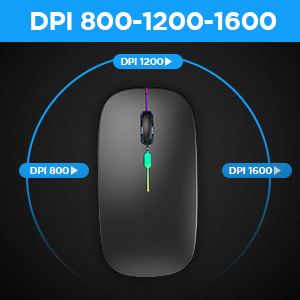
Why Knowing Your Mouse DPI is a Must:
So why should you care about DPI at all?
- For gaming: Aiming at shooters like Valorant or CS2 depends heavily on DPI. Pro gamers often lower their DPI (e.g., 400–800) for steadier, more accurate shots.
- For design: Graphic designers and CAD professionals need fine-grain control when editing at the pixel level.
- For everyday tasks: The right DPI makes moving between multiple screens or working on high-resolution monitors smoother.
If you’ve ever wondered, “what is my DPI on my mouse and is it right for me?” Then this is why the answer matters.
How Do I Know My Mouse’s DPI? (Methods):
Checking your mouse’s DPI doesn’t have to be complicated. Here are reliable methods to try in 2025:
- Manufacturer specifications – Look at your mouse packaging, manual, or on the brand’s official site. Gaming brands like Logitech, Razer, and SteelSeries list their DPI ranges clearly.
- Online DPI checker tools – Free sites such as CheckMouseDPI.com let you measure DPI by moving your mouse a set distance.
- Manual ruler method – Mark one inch on your desk, move your mouse across it, and check how many pixels the cursor moved.
- Mouse software – Tools like Logitech G Hub, Razer Synapse, or SteelSeries GG show your current DPI setting and let you adjust it.
Among the keywords were: How do I know my mouse DPI, determine mouse DPI.
How to Find a Mouse DPI on Windows & Mac?
Here’s how to quickly check the two most common operating systems:
On Windows:
- Go to Control Panel → Mouse Settings → Pointer Options.
- If you have a gaming mouse, use its companion software (Logitech G Hub, Razer Synapse, etc.) to check or adjust DPI.
On the Mac:
- Head to System Settings → Mouse. While macOS doesn’t display DPI directly, third-party apps like USB Overdrive or SteerMouse can help.
- Some gaming mice still show DPI directly in their software, even on macOS.
Common DPI Misconceptions:
Let’s clear up a few myths.
- Higher DPI isn’t always better. Beyond a certain point, it becomes more difficult to control.
- DPI ≠ sensitivity. Sensitivity is software-based scaling, while DPI is hardware-based.
- PRO GAMERS OFTEN USE LOW DPI. Many esports pros prefer 400–800 DPI because it gives better aim accuracy.
Final Tips for Checking Your DPI in 2025:
- Test multiple times to ensure your results are accurate.
- Use a free online DPI analyzer for faster measurements.
- Don’t just stop at DPI—combine your DPI check with polling rate tests for smoother performance.
Conclusion
By now, you understand what DPI means, why it matters, and how to know your mouse’s DPI in 2025. Whether you’re gaming, designing, or just browsing, the right DPI setting can enhance your experience.Want to instantly check your mouse’s DPI? Try our free Online DPI Checker today.